Postmixr Blog
TikTok App Install Ads: The Exact Campaign Setup (Smart+, iOS 14, Subscribe Goal)
Step-by-step TikTok App Install campaign setup for mobile apps: Smart+, iOS 14 Dedicated, real-time reporting, Subscribe optimization, USA targeting, and the ad creative checklist. Run this after organic winners from Part 1.
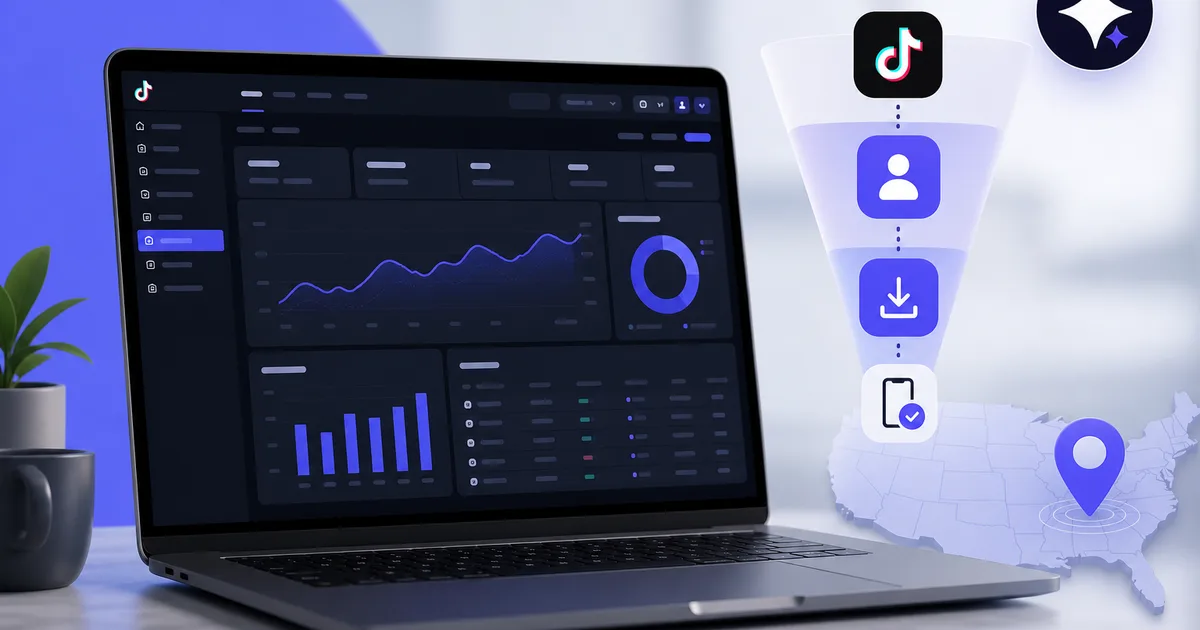
You can burn thousands on TikTok App Install ads without a single profitable day, then run the same app at the same budget level and hit a stable Subscribe CPA once the campaign skeleton is locked in. The difference is rarely "try harder." It is proven creative plus exact Ads Manager settings repeated every launch.
This is Part 2 of our app marketing series. Part 1 covers Tier 1 market choice, account warmup, and finding organic winners with Postmixr. Do not skip it. None of the settings below save you if your hook never worked in the feed or your attribution signal is broken.
Before you open Ads Manager
1. You need a proven organic format
This is the step most teams skip, and it is why campaigns fail.
You need an organic video structure that already works with real viewers. Ideally something that hit 100k+ views on your warmed US account, or a clear outlier vs your other posts. From that one winner, build many variations: same hook, same beat structure, same flow, new visuals, new music, small copy tweaks.
Use Postmixr to find and validate that winner:
- Organic analytics on your connected TikTok (which demos outperformed).
- Video virality analyzer on competitor URLs (extract hook timing and pacing before you film variations).
- Creator Search Insights on your marketing phone (search intent your Subscribe ads should match).
Recommend at least 6 creative variations from the winner before you launch. More is better so you can kill losers after a few days and upload fresh tests.
Variation axes that work for app demos:
| Axis | Example |
|---|---|
| Opener text | Same demo, three different pain hooks on screen |
| Visual | Face cam vs faceless screen recording vs split screen |
| Music | Trending sound vs voiceover-only |
| Pacing | 15s tight demo vs 25s with one extra beat |
| Device | Dark mode UI vs light mode |
| Caption angle | Search query vs POV story |
Film batches on your marketing phone, then track which variations win organically in Postmixr before you upload the same files to Ads Manager. Paid ads should feel like more of what already worked, not a new creative direction.
2. Attribution must work before scale
TikTok App Install + Subscribe optimization only learns when install and in-app events reach Ads Manager in reasonable time. Wire your Mobile Measurement Partner (AppsFlyer, Adjust, Singular, etc.) and TikTok app events before you run this checklist at scale.
| Signal | What healthy looks like |
|---|---|
| Install events | Firing in MMP and visible in TikTok Events Manager within expected delay |
| Subscribe / trial events | Mapped to the same event you will optimize toward in the ad group |
| Real-time reporting | App record in Ads Manager shows iOS real-time reporting unlocked |
| SKAN toggle | Leave on (delayed) until unlocked; then disable to speed learning |
Real-time reporting: Your app must be unlocked for iOS real-time reporting in Ads Manager. Only then should you disable the SKAN toggle that adds delay. Not unlocked yet? Run a plain Install campaign for 3–4 days to feed TikTok data. Confirmation text should appear under your app in Ads Manager when ready.
Broken attribution feels like "bad creative." You will swap hooks, burn budget, and never know the algorithm lacked signal. Fix measurement first, then creative rotation.
Campaign structure (the skeleton)
Keep it dead simple. Same skeleton every time.
| Level | Setting |
|---|---|
| Objective | App Promotion → App Install |
| Campaign type | Smart+ (always for this playbook) |
| iOS | Enable iOS 14 Dedicated Campaign |
Smart+ rotates creatives and pushes budget toward winners inside your guardrails. Teams moving off manual campaigns often see better cost efficiency when creative volume is high enough to feed the algorithm. See TikTok's Ads Help Center for current Smart+ availability in your account.
Budget: start small (yes, really)
| Setting | Value |
|---|---|
| Daily budget | $30/day to start |
| Budget optimization | Off (no CBO-style budget shifting at launch) |
| Optional | $50/day if you have headroom and want faster event volume |
Run $30/day for the first few days yourself. Once installs or Subscribe events arrive and the line stabilizes, raise budget slowly (10–20% every few days while CPA holds). Throwing $500/day at unproven creative does not fix a broken hook.
You are monetizing Tier 1 users. The Adapty State of In-App Subscriptions 2026 report is the benchmark for whether your Subscribe CPA is sane in your category once events flow.
Ad group settings
These are non-negotiable for US iOS subscription apps in this playbook:
| Field | Setting |
|---|---|
| Optimization goal | In-app event → Subscribe |
| Bid strategy | Highest volume (budget) |
| Location | United States |
| Language | English |
| Everything else | Defaults unless you have a specific reason |
Subscribe not selectable yet? Run an Install-optimized ad group for a few days until the event unlocks. Yes, you will spend a small setup tax. You earn it back faster than fighting a Subscribe campaign with no event history.
Why USA only at launch: It is the best market for iOS app monetization in most categories. Do not get clever with other geos until US creative and CPA work. UK, Canada, and Australia are the usual second wave with the same English assets.
Placements
| Setting | Action |
|---|---|
| Automatic placements | Off |
| Lemon8 | Disabled |
| Pangle | Disabled |
| TikTok | On (core inventory) |
Manual placements reduce junk inventory for app install campaigns. Re-enable tests only if TikTok support or your account rep recommends a specific expansion after baseline CPA is proven.
Ad settings (the detail checklist)
Small toggles compound. Get every one of these right:
| Setting | Action |
|---|---|
| Auto-Select Creative Assets | Disabled |
| Number of ads | 6–12 (6 if budget under $100/day) |
| CTA | Download or Install only |
| Selling Points | Removed |
| Automatic Enhancements | All disabled |
| Destination | Your choice: TikTok instant page or App Store product page |
Upload the 6+ variations you built from the organic winner in Part 1. Same hook and structure; different face, screen recording, music, or opener text. Kill ads with high spend and zero Subscribe signal after 3–5 days. Feed in replacements from your ongoing organic tests scheduled through Postmixr.
First 7 days after launch
| Day | Action |
|---|---|
| 1–2 | Launch only. No bid edits. Let Smart+ rotate. |
| 3–4 | Pause ads with spend but zero downstream events. Upload 1–2 replacements from organic tests. |
| 5–7 | If Subscribe events are steady, consider +10–20% budget. If not, fix attribution or swap more creative. |
Rules during the first week:
- Do not restructure the campaign daily. Smart+ needs stable inputs.
- Watch Subscribe (or Install) volume, not vanity CTR alone.
- Replace bottom creatives, not the whole ad group, when one hook dies.
- Do not scale budget until events are steady 3+ days.
- Compare CPA to Adapty category benchmarks, not social media screenshots.
If CPA looks flat but events are zero, your problem is attribution or Subscribe unlock, not a 5% bid tweak.
Scaling (preview)
A full scaling playbook is its own article. Rules of thumb once US Subscribe CPA is stable:
- Increase budget 10–20% every 2–3 days while CPA holds.
- Add fresh creative weekly from organic winners (never run one hero ad forever).
- Keep USA until ROAS is boringly predictable.
- Only then test UK/CA/AU with duplicated English creative.
Organic content pipeline stays in Postmixr; paid rotation stays in Ads Manager. Same winner brief feeds both.
The short version (copy this)
Creative (before ads):
- Organic winner from Part 1 (100k+ views ideal).
- 6+ variations, same hook/structure, new visuals.
Campaign:
- App Promotion → App Install.
- Smart+ on.
- iOS 14 Dedicated Campaign on.
- Real-time reporting unlocked → SKAN delay toggle off.
If not unlocked:
- Run Install campaigns ~3–4 days until app shows unlocked in Ads Manager.
Budget:
- $30/day start, no budget optimization.
- Scale slowly after conversions.
Ad group:
- Goal: Subscribe (Install first if locked).
- Bid: Highest volume.
- Location: USA. Language: English.
Placements:
- Manual. Off Lemon8 and Pangle.
Ads:
- Disable Auto-Select Creative Assets + all Automatic Enhancements.
- CTA: Download/Install only.
- 6–12 ads. No Selling Points.
Simple setup. Same setup every time. The details are everything.
Common mistakes
Launching ads before organic proof. Paid spend amplifies; it does not invent hooks.
Subscribe goal on day one with no events. Pay the Install tax first.
SKAN toggle off before real-time reporting unlock. You starve the algorithm.
Auto placements and enhancements left on. TikTok remixes your demo into something that does not convert.
Non-US geo on launch. You optimize for installs that do not match your LTV model.
One creative. Smart+ needs volume. Six minimum.
How Postmixr fits (organic only)
| Phase | Tool |
|---|---|
| Find US competitor structure | Video virality analyzer |
| Post organic variations | TikTok scheduler + calendar |
| See organic winners | Workspace + per-post analytics |
| Feed ads with new hooks | Duplicate winning briefs into new filmed variants |
When organic formats win, paste them into this Ads Manager checklist. That is the full loop.
Schedule your next week in one sitting
Connect your accounts, line up posts on the calendar, and publish through official platform APIs, free to start.
Get started freeQuick checklist
Prerequisites
- Completed Part 1 (Tier 1 account, warmup, organic winner)
- 6+ ad variations exported from winner brief
- MMP / app events firing; real-time reporting unlocked (or Install fallback plan)
Campaign
- App Promotion → App Install, Smart+, iOS 14 Dedicated
- $30/day, budget optimization off
- Ad group: Subscribe (or Install until unlocked), Highest volume, USA, English
- Manual placements; Lemon8 and Pangle off
- Ads: enhancements off, Download/Install CTA, 6–12 uploads
After launch
- Replace losing ads every few days
- Scale budget slowly while Subscribe CPA holds
- Keep organic tests running in Postmixr for the next creative wave
Sources
Platform limits and workflows in this guide are checked against official vendor documentation where linked below.
Official documentation
Frequently asked questions
- How do I set up TikTok App Install ads for a mobile app?
- Start with a proven organic creative from Part 1 of this series. In Ads Manager, create App Promotion with App Install, enable Smart+ and iOS 14 Dedicated Campaign, unlock real-time reporting, then set Subscribe as the ad group goal with Highest Volume bidding, USA targeting, manual placements, and 6–12 ad variants with automatic enhancements disabled.
- What is a TikTok Smart+ campaign for apps?
- Smart+ is TikTok's automated campaign type that rotates creatives and optimizes delivery within your budget and geo settings. Many app teams prefer it over fully manual structures because it swaps losers and pushes spend toward winning hooks faster, as long as creative was validated organically first.
- What is iOS 14 Dedicated Campaign on TikTok?
- It is a campaign-level setting for iOS app promotion that routes traffic through Apple's SKAdNetwork-aware flow. Enable it for iOS App Install campaigns so TikTok can attribute installs correctly on iOS 14+ devices. Pair it with your MMP and in-app event setup.
- When can I select Subscribe as the TikTok ad optimization event?
- Subscribe often appears only after TikTok receives enough install and in-app activity data from your app. If it is grayed out, run a plain App Install campaign for several days to feed events, then switch the ad group optimization to Subscribe once it unlocks.
- Why target USA only for iOS app TikTok ads?
- The United States is the default Tier 1 market for subscription iOS apps: highest spend, English creative reuse, and the geo many teams use for first profitable Subscribe CPA tests. Adapty's subscription benchmarks show strong US revenue share across categories. Expand to UK, CA, and AU after US creative wins.
- How much daily budget should I start with for TikTok app ads?
- Start at $30/day with budget optimization turned off. Some teams start at $50/day for faster learning, but higher budget does not fix weak creative. Raise spend slowly only after Subscribe or Install events arrive consistently.
- Should I disable SKAN on TikTok app campaigns?
- Only disable the SKAN toggle after your app is unlocked for iOS real-time reporting in Ads Manager. Delayed signal hurts learning. If you are not unlocked yet, run Install campaigns for 3–4 days to collect data until confirmation appears under your app.
- How many ad creatives do I need for TikTok app install ads?
- Launch with at least 6 variations from one organic winner (same hook and structure, new visuals or music). Use 6 ads if daily budget is under $100, up to 12 if budget allows. Replace losers after a few days with fresh variations from your Postmixr research pipeline.
Related posts
How to Find Organic TikTok Content Ideas for Your SaaS or Mobile App
Target Tier 1 app markets (US first), warm up a dedicated TikTok account, then find proven organic formats with Postmixr analytics, the virality analyzer, and Creator Search Insights before you spend on ads.
How to Schedule TikTok Videos in Advance (Without Living in the App)
Plan TikTok videos ahead of publish time, compare in-app scheduling vs third-party API tools, and keep a consistent posting rhythm from one queue.
How to Become a TikTok/Instagram Influencer as a Full-Time Mom (2026 Guide)
A full guide for full-time moms building on TikTok and Instagram: plan your niche, use Creator Search Insights and Reels analytics, batch quality 9:16 video, and cross-post with a content calendar.