Free tool

AI Video Subtitle SRT VTT Generator

Free auto subtitle generator: paste a YouTube, TikTok, or Instagram link or upload a file. Export SRT, VTT, and TXT captions with AI. No software download.

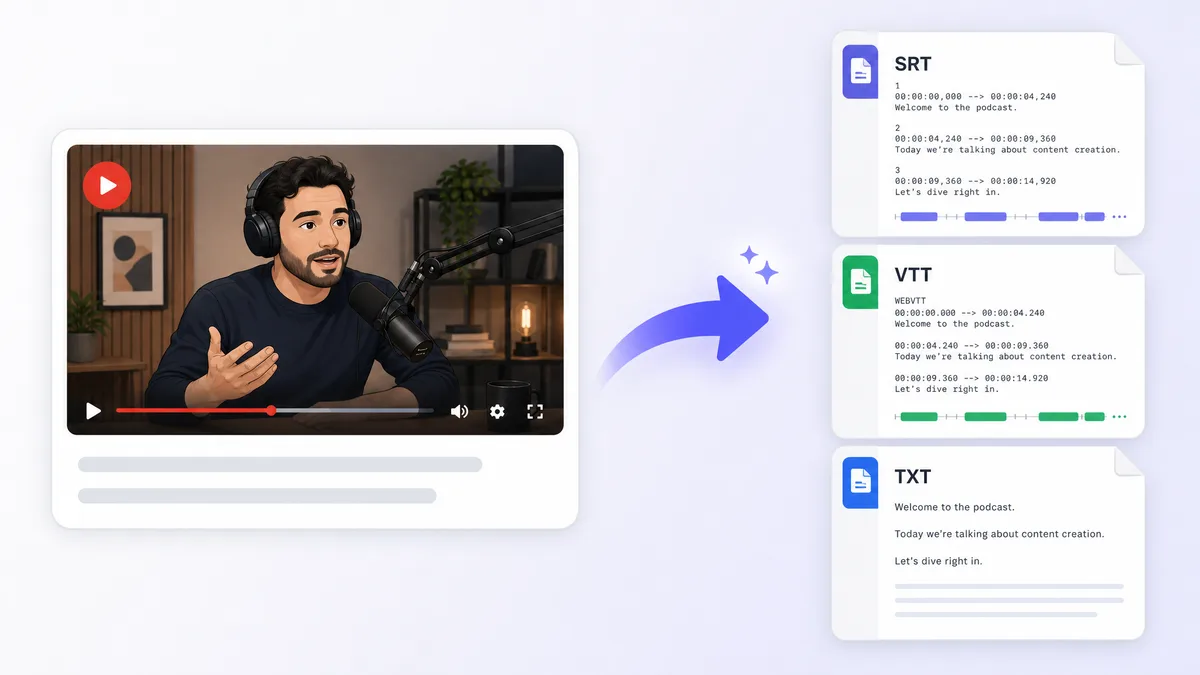
AI Video Subtitle SRT VTT Generator - illustrated workflow preview

Primary topic: auto subtitle generator. Also covers add subtitles to video free, ai subtitle generator, video caption generator, srt generator from video, srt vtt generator, youtube subtitle generator.

Export formats

How the free AI subtitle generator works

Upload a video or paste a public YouTube, TikTok, or Instagram link. Postmixr fetches the file server-side, transcribes speech with Whisper, and exports SRT, VTT, or plain text captions you can drop into Premiere, DaVinci, or your scheduler.

Sign in when you are ready to run a job: your language and URL settings stay in this browser tab. Free accounts get timely quotas; paid plans get unlimited runs.

SRT, VTT, and transcript exports

SRT is the default for desktop editors. VTT works in HTML5 players and many social schedulers. Plain text is handy for repurposing hooks or blog posts. Burned-in MP4 captions are on the roadmap.

  • Whisper supports dozens of languages: pick the spoken language for best accuracy.
  • Sidecar exports (SRT/VTT/TXT) use a separate free quota from full video renders.
  • Pair subtitles with our virality analyzer before you schedule the final cut.

FAQ

How do I add subtitles to a video for free?

Upload your video or paste a public YouTube, TikTok, or Instagram link, pick the spoken language, and generate SRT, VTT, or TXT subtitles with a free Postmixr account.

What subtitle formats can I export?

You can download SRT (SubRip), VTT (WebVTT), and plain text transcripts. Burned-in MP4 captions are coming soon.

Can I generate subtitles from a YouTube link?

Yes. Paste any public YouTube video URL and we fetch the video server-side before transcribing.

Does this work for TikTok and Instagram Reels?

Yes for public links when our server can fetch them. Instagram is best-effort. If the link fails, upload the file directly.

How accurate is AI subtitle generation?

We use Whisper speech recognition, which is strong for clear speech. Heavy music, accents, or noisy audio may need a quick manual pass.

Can I burn captions into my video?

Burned-in MP4 export is coming soon. Today you can download SRT, VTT, or TXT and import into your editor or Postmixr scheduler.

Is there a video length limit?

Free tier supports videos up to 30 minutes. Trim longer files before uploading.

Do I need to download software?

No. Everything runs in your browser and on Postmixr servers. Sign in when you are ready to process a video.

Schedule posts from one calendar

Connect your accounts, line up content for every platform, and publish on time with Postmixr, free to start.

Get started free