Free tool

Auto Shorts Generator - YouTube to TikTok Clips

Free Opus Clip alternative: turn long YouTube videos into vertical 9:16 TikTok, Reels, and Shorts with burned-in captions. Paste a link or upload.

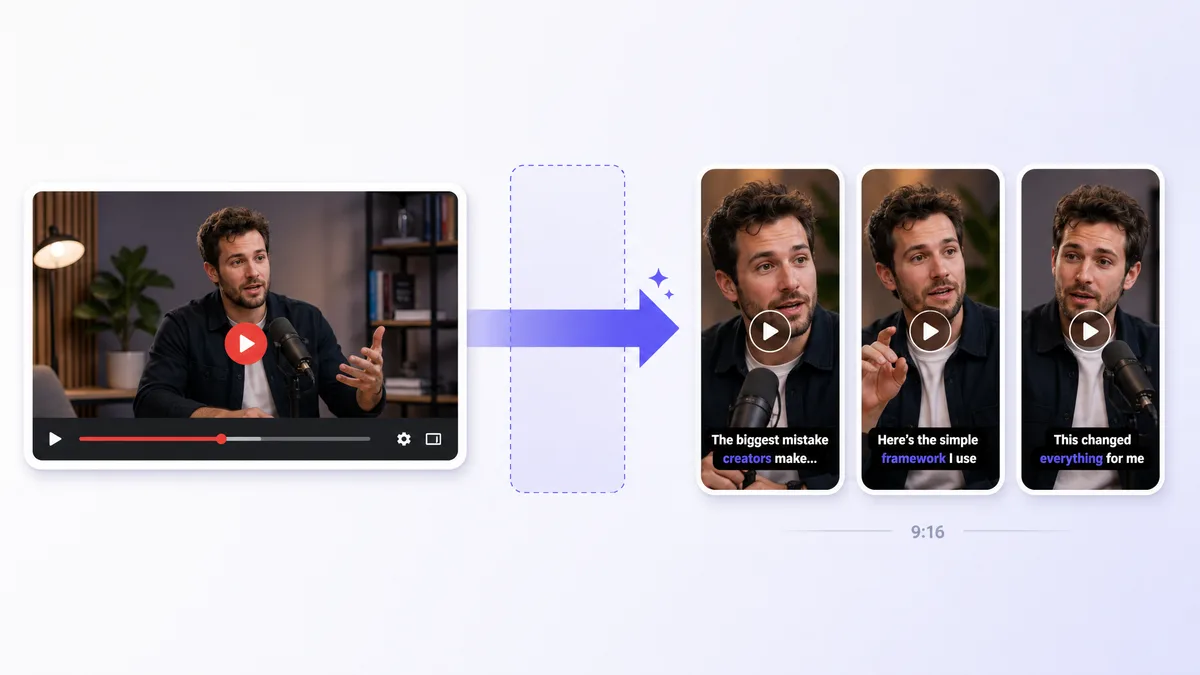
Auto Shorts Generator - YouTube to TikTok Clips - illustrated workflow preview

Primary topic: turn long video into shorts. Also covers ai clip generator, opus clip alternative free, long video to tiktok, youtube to shorts generator, ai shorts maker free.

Free Opus Clip alternative for vertical shorts

Postmixr finds highlight moments in long videos, lets you review picks before rendering, and exports 9:16 MP4s with burned-in captions: a transparent, free-tier alternative to black-box clip generators like Opus Clip and Vidyo.ai.

Paste a YouTube or TikTok URL, or upload directly. Each job supports up to five shorts with a Postmixr watermark on free exports.

Review highlights before ffmpeg render

Unlike tools that only show finished clips, you see ranked highlights with scores and reasons first. Select the moments you want, then we cut, crop, caption, and watermark each short.

Arriving from the Highlights Extractor? We reuse your analysis so you skip straight to selection.

FAQ

How do I turn a long video into YouTube Shorts or TikTok clips?

Upload a file or paste a YouTube, TikTok, or Instagram link. AI finds highlight moments, you pick which to render, and we export vertical 9:16 MP4s with burned-in captions.

Is this a free Opus Clip alternative?

Yes. Postmixr offers a free tier with a shared quota window. You get ranked highlight picks, a review step, and downloadable vertical shorts with captions.

Does it add captions automatically?

Yes. Each short includes burned-in subtitles synced to the speech in that clip. Choose default, bold, or karaoke styling before rendering.

What aspect ratio are the shorts?

All exports are 9:16 vertical (1080×1920), ready for TikTok, Instagram Reels, and YouTube Shorts.

Can I use a YouTube link without downloading?

Yes. Paste a public YouTube URL and we fetch the video on our servers. You can also upload MP4/MOV directly.

How many shorts can I generate at once?

Up to five shorts per job. You review AI-ranked highlights before we render so you only export the moments you want.

How long is each short?

Each export uses the full AI-selected highlight, usually 20–90 seconds depending on the moment. You set a max clip length (60–180s); we never cut early mid-thought, only cap clips that exceed your limit.

Is there a watermark on free exports?

Free tier shorts include a small Postmixr watermark in the bottom-right corner, positioned to stay clear of captions.

Can I schedule the shorts to social media after?

Create a free Postmixr account to schedule shorts to TikTok, Instagram, YouTube, and more from one calendar.

Schedule posts from one calendar

Connect your accounts, line up content for every platform, and publish on time with Postmixr, free to start.

Get started free