Postmixr Blog
Weekly Instagram and TikTok Calendar Template for Solo Creators
A weekly content calendar layout for Instagram and TikTok—themes, approval columns, and scheduler-ready slots you can copy into Sheets, Notion, or Postmixr.
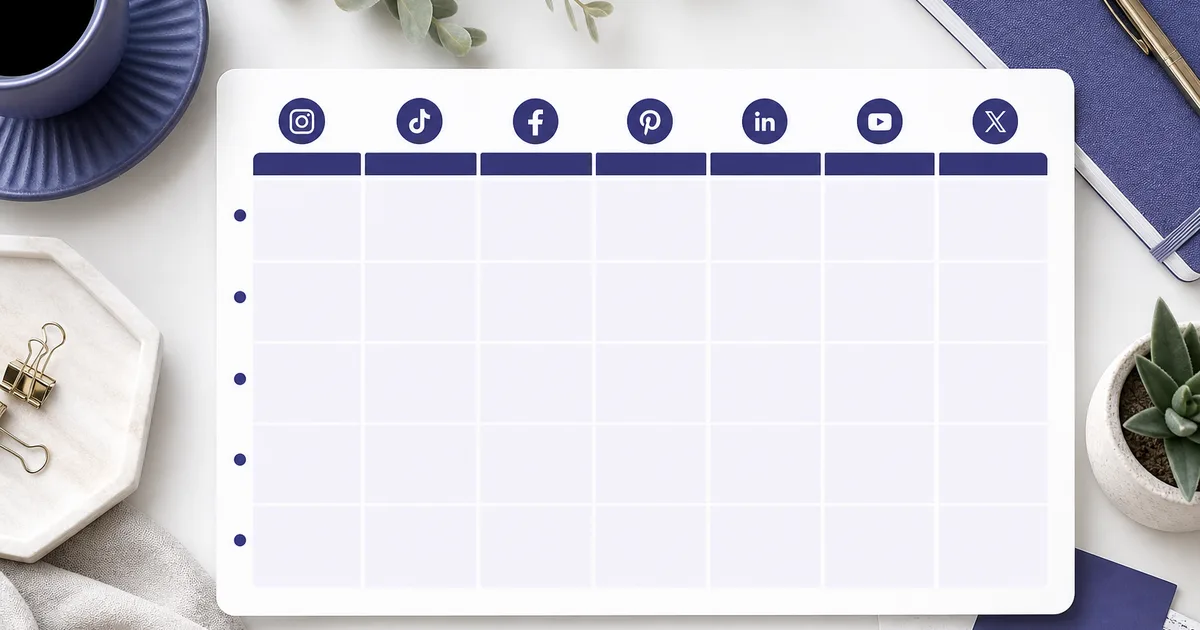
A weekly Instagram and TikTok content calendar template is not a fancy spreadsheet for its own sake. It is a promise to your future self about what ships on each network and when. This layout is built for solo creators posting on both platforms; add columns if you publish more than once per day.
Use it in Notion, Google Sheets, or Airtable first, then plug approved rows into Postmixr (or your scheduler) so planning and publishing stay aligned.
Weekly layout (copy this structure)
| Day | Theme | TikTok | YouTube / Other | Status | |
|---|---|---|---|---|---|
| Mon | Education | Carousel tip | Clip tip | - | Draft |
| Tue | Product | Reel demo | Repurpose | - | Scheduled |
| Wed | Community | Story Q&A | - | - | Idea |
| Thu | Proof | Customer quote | BTS clip | Short | Approved |
| Fri | Promo | Offer post | - | Newsletter | Scheduled |
Theme stops you from asking “what should we post?” every morning. Status (Idea → Draft → Approved → Scheduled → Published) is your approval pipeline.
Optional columns as you grow
| Column | Purpose |
|---|---|
| Owner | Who writes caption vs who approves |
| Asset link | Drive folder, Figma, or media library URL |
| Caption doc | Google Doc or Notion page per post |
| Scheduled time (UTC) | One source of truth for schedulers |
| Campaign | Launch name for reporting |
| UTM / link | Trackable URL for promo posts |
Copy the table into Sheets on row one, freeze the header, and duplicate the tab per client if you are an agency.
Monthly rhythm (optional)
Rotate themes so your feed does not feel like the same promo every day:
- Week 1: Launch or campaign push
- Week 2: Education / how-to
- Week 3: Social proof and UGC
- Week 4: Recap, behind the scenes, or lighter content
Map this to your product calendar: if you ship features on Thursdays, anchor product Reels midweek and education carousels early week.
Day-by-day theme ideas
| Theme | Instagram ideas | TikTok ideas |
|---|---|---|
| Education | Carousel, save-worthy tips | 30 to 60 sec how-to |
| Product | Reel demo, before/after | Fast hook + CTA |
| Community | Poll, question sticker | Reply-style video |
| Proof | Testimonial graphic | Talking head UGC |
| Promo | Offer post, link in bio | Urgency + clear CTA |
When you turn themes into scheduled posts, follow platform guides: schedule Instagram posts, schedule TikTok videos, and caption limits for QA.
Where to host the calendar
| Tool | Strength | Weakness |
|---|---|---|
| Google Sheets | Comments, formulas, client sharing | No native publish |
| Notion | Docs + calendar views | Manual export to scheduler (Notion calendar walkthrough for layout ideas) |
| Airtable | Relational campaigns | Setup overhead |
| Postmixr calendar | Drafts, media, schedule in one place | Requires connected accounts |
Many teams start in Sheets and move to Postmixr once they post more than twice a week across platforms. Keep the Sheet as the brief and the scheduler as the source of truth for times. When you hand off to publish, Instagram follows Content Publishing and TikTok partner tools use the Content Posting API (your scheduler fires the publish at the slot—you set the time in Postmixr, not in TikTok’s API body).
30-minute weekly planning ritual
- 5 min: Pick one theme per weekday (use the monthly rhythm above).
- 10 min: Assign platform slots; note which need video vs text-only.
- 10 min: Link or attach assets; mark rows
DraftorIdea. - 5 min: Hand off promo rows for approval if a client must sign off.
On batch day, film TikTok and Reel clips together, write captions in one doc, then schedule. Teams posting heavy text to Facebook or Threads can use bulk CSV scheduling after captions are approved.
Checklist before you schedule the week
- Assets exported in correct aspect ratios (9:16 for TikTok/Reels, 4:5 or 1:1 for feed)
- Captions reviewed for links, typos, and character limits
- Hashtags researched (not pasted from an old generic list)
- Stakeholder sign-off on promo posts
- Times set in your audience’s peak window (test and adjust monthly)
- No two launch posts at the same hour on every platform
- Failed-publish process defined (who gets alerts, who retries)
Status workflow (approval pipeline)
| Status | Meaning | Next action |
|---|---|---|
| Idea | Topic only | Assign owner, pick day |
| Draft | Copy or asset in progress | Review caption limits |
| Approved | Ready to schedule | Upload to scheduler |
| Scheduled | Time locked in queue | Monitor publish result |
| Published | Live | Log link, note performance |
Common calendar mistakes
| Mistake | Fix |
|---|---|
| Empty theme column | Pick five recurring themes and reuse |
| Same time on every platform | Stagger 30 to 60 minutes |
| No asset column | Add Drive links before draft day |
| Calendar not tied to scheduler | Block time to import rows after approval |
| Ignoring failures | Weekly review of API errors in your tool |
Quarterly planning (optional upgrade)
Once the weekly template is habit, add a one-page quarterly view:
| Month | Campaign | Hero offer | Content pillar |
|---|---|---|---|
| Q2 W1 | Spring launch | 20% off | Product demos |
| Q2 W2 | Education | - | How-to carousels |
| Q2 W3 | UGC | - | Testimonials |
| Q2 W4 | Recap | - | BTS and metrics |
Quarterly themes stop the weekly grid from feeling random. Link each week back to the campaign column so promo posts get extra approval.
Metrics to log after publish
Add a simple “Notes” column after Published:
- Saves or shares (if available)
- Comments that need replies
- Whether you will repost as a Reel or Story
Review every Friday for 15 minutes. Patterns beat guessing: if education posts outperform promo on Tuesdays, bias the next month’s template toward education on Tuesdays.
Client and agency variants
For client work, duplicate the tab per brand and lock Approved rows before scheduling. Add a Client column and Billing code if you report hours. Never schedule from the master template without changing the profile column; wrong-account publishes are painful to undo.
Share the Sheet with comment-only access for clients and edit access only for producers. That single permission rule prevents accidental edits to scheduled times while feedback is still open.
Plug the template into Postmixr
Import your week as drafts, drop media on each post, and schedule from the visual calendar so the Sheet and the publish queue stay in sync. Invite a teammate to comment before anything goes live.
Workflow:
- Copy the weekly table into Sheets for the team brainstorm.
- Move approved rows into Postmixr as drafts with dates.
- Attach media; run caption checks against Instagram limits when relevant.
- Schedule Instagram and TikTok from the composer; use Bulk for text-first networks if applicable.
Schedule your next week in one sitting
Connect your accounts, line up posts on the calendar, and publish through official platform APIs, free to start.
Get started freeNext steps
- Schedule Instagram posts once your calendar rows are approved.
- Schedule TikTok videos in the same weekly batch.
- Bulk schedule text posts when your sheet is ready for CSV import.
Frequently asked questions
- What should a social media calendar template include?
- At minimum, day or slot, platform, content theme, asset status, caption draft link, scheduled time, and approval status. Teams add owner, campaign tag, and UTM fields as they scale.
- Is a spreadsheet enough for social media planning?
- Yes for brainstorming and client approval. Once you post more than twice a week per platform, move scheduled times into a scheduler so the calendar and publish queue stay in sync.
- How long should weekly planning take?
- With a fixed template, 30 to 45 minutes is realistic for one brand if assets and themes are batched. First runs take longer until themes become habits.
- How do I avoid posting the same thing on every platform?
- Use one theme per day but customize format and caption per network. The template includes separate columns so you do not copy one blob everywhere.
- What is the best free social media calendar template?
- Google Sheets or Notion work well for free planning. Pair them with a free scheduler queue for publish, or import drafts into Postmixr when you are ready to schedule.
- How does a calendar connect to scheduling tools?
- Export rows as drafts with dates, attach media in your scheduler, and confirm times in the visual calendar. Status columns in the sheet should match queue states (draft, scheduled, published).
Related posts

How to Schedule TikTok Videos in Advance (Without Living in the App)
Plan TikTok videos ahead of publish time, compare in-app scheduling vs third-party API tools, and keep a consistent posting rhythm from one queue.

How to Schedule Instagram Posts With the Official API (2026 Step-by-Step)
Connect a Business or Creator account, schedule feed posts and carousels via Meta’s API, and publish on time without phone reminders or unofficial bots.
How to Bulk Schedule Facebook and Threads Posts With a CSV (Free)
Bulk schedule Facebook Page and Threads posts from a two-column CSV—ISO datetimes, timezone rules, free validation, and when to use calendar batching for Instagram instead.